Banquet event orders
The banquet event order, built from the booking
Open the BEO from any booking: the event, room, times, expected guest count and billing come from the booking, and each published revision downloads as a PDF for your team.
How it works
From the booking to the sheet
01
Open it from the booking
Choose Banquet Event Order (BEO) in the booking's menu. The first time, the BEO is created from the booking; each booking has one.
02
Filled from the booking
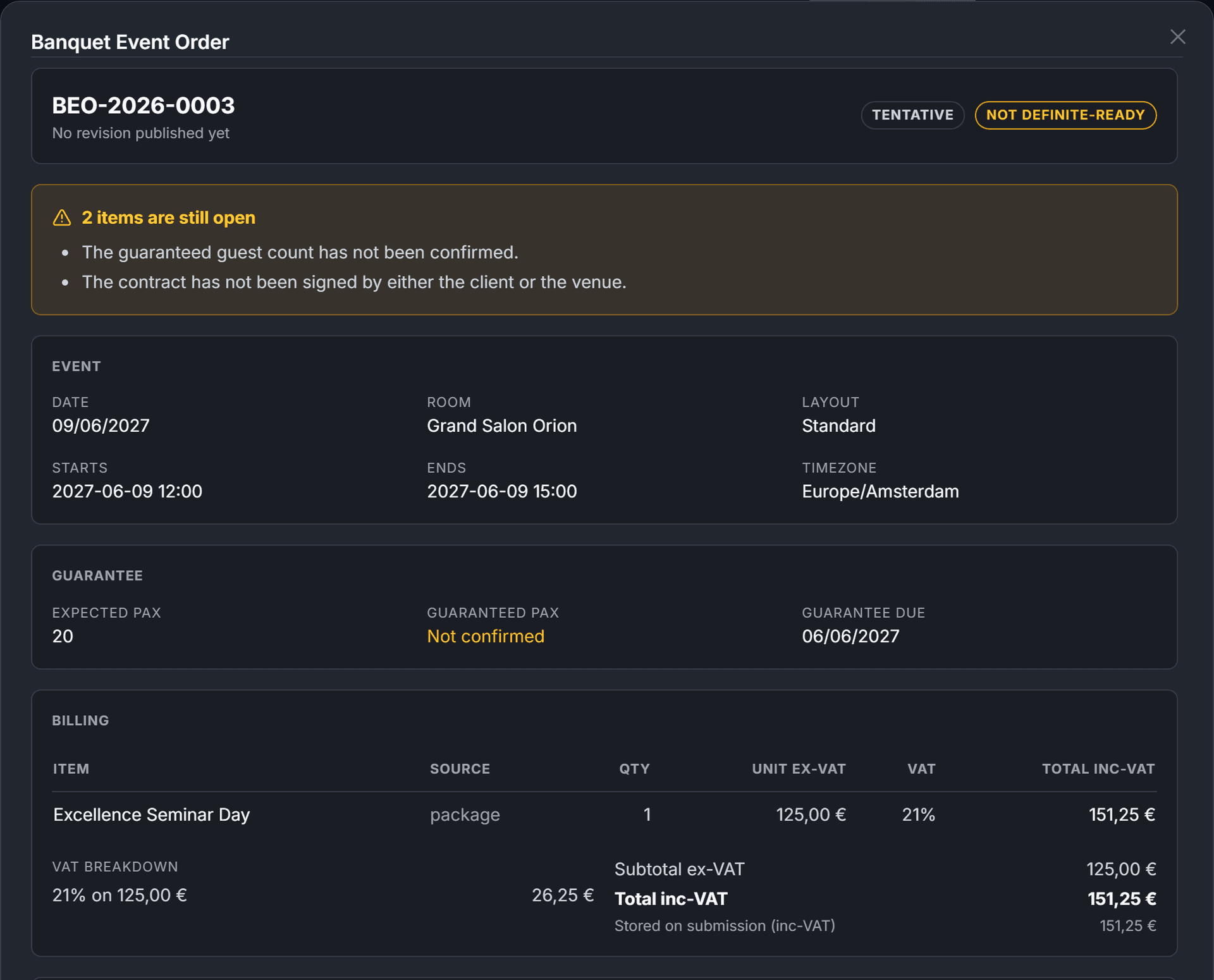
The event, room and layout, start and end times in your venue's time zone, the expected guest count, the client's company and contact, and the billing lines, with VAT per rate and the total.
03
What is still open
The BEO lists what is still open on the sheet: no room assigned, no start or end time, the guaranteed guest count not yet confirmed, or a contract signed by neither party.
04
Published as a revision
Each publish freezes the draft as a numbered Tentative revision, and each revision downloads as a PDF.
At a glance
From the booking to the PDF
01
Booking
Event, room, times, guests and lines
02
BEO draft
Created from the booking
03
Readiness
What is still open on the sheet
04
Revision
Frozen, Tentative
05
PDF
Downloaded for your team
Good to know
Good to know
The total on the booking
The BEO shows the total stored on the booking, the one the contract quotes. When the lines add up to something else, the BEO says so.
Lines by department
Billing lines are grouped by department: one of your own departments when a line's category matches its name, otherwise one inferred from the category, or General.
Times in your venue's time zone
Start and end are shown in your venue's time zone, as set on your account.
Checked against the booking
The consistency check compares the BEO's guest count and times with the booking's.
Questions
Questions and answers
Where do the BEO's figures come from?
From the booking: its lines as they were priced, with VAT grouped per rate, and the total stored on the booking, which is the total the contract quotes. If the lines and that total disagree, the BEO says so.
What does the BEO list as still open?
No room assigned, no start or end time, the guaranteed guest count not yet confirmed, or a contract signed by neither party. Revisions are published as Tentative.
Can a published BEO be changed?
No. A published revision is frozen. Publishing again creates the next revision, and the draft itself is untouched.
Can I download the BEO?
Yes. Each published revision downloads as a PDF from the BEO panel of the booking.
Features