How it works
From Event Request to Signed Contract
Your client fills in your RFP form. Airplate checks your event spaces against your other bookings, prices the request from your own packages and pricing rules, and e-mails your client the quote. You send the contract when you are ready; Airplate collects both signatures and asks for the deposit.
Onboarding · guided setup
From setup to first sale in 4 steps
Configure & Register
Set up your venue, event spaces, branding, team, and pricing rules.
Integrate
Link your Calendly or Cal.com calendar. Apaleo integration (certification in progress).
Define Your Rules
Set your pricing rules and the rules for the requests you accept.
Go Live
Once the Airplate team has activated your account, share your branded RFP form: requests arrive priced, ready for your team.
Event spaces
Event Space Assignment
Request · 18 March · 40 guests
- Garden Room HighBooked 18 March
- The Orangery MediumAssigned
- Salon Bleu LowFree
Set-up buffers and combined rooms are taken into account.
Your rules
Rules For The Requests You Accept
Arrives 3 days before the event
Minimum notice: 7 daysRefused
120 guests
Your limit: 80Held for your review
Sunday
Closed on SundaysHeld for your review
Pricing
Send an offer to your client's request
Price period · High season +10%
- Day package · 40 × €90.00
- €3,600.00
- High season +10%
- €360.00
- VAT 20%
- €792.00
- Total incl. VAT
- €4,752.00
quote e-mailed to the client
Team
Team Workflow
- Alex MartinAdmin
- Sam LeeLimited user
Call Northwind Consulting about the menu
Task · assigned to Sam Lee · Northwind workshop, 18 March
Control
Automate & Keep Control
Harbour Run Club · Dinner · 60 guests
Review & SendNo free event space on 2 May: the request waits for your team.
You decide what is sent
Contracts
Contracts & E-Signature
- Contract sent
- Signed by your client
- Signed by your venue
- Signed PDF to both
E-signature · Documenso
Assistant
AI Assistant: Ask About Your Data
In the app: ask in plain language about your requests and their status, your event spaces, your packages and your plan, and get an answer from your own account.
Also on Telegram
Airplate Assistant
Harbour House Hotel
Dashboard
Your Command Center
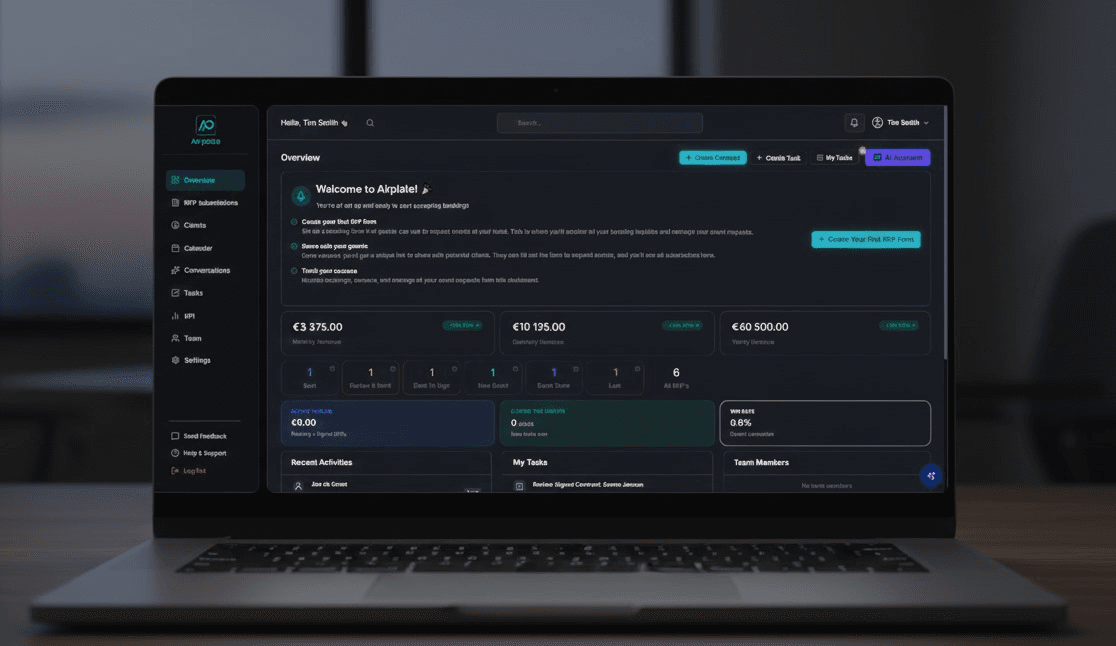
Follow your requests, contracts and revenue figures on one dashboard, see your requests by status, and keep your team's tasks in one place.