Consistency checker
One check across the booking, the contract and the BEO
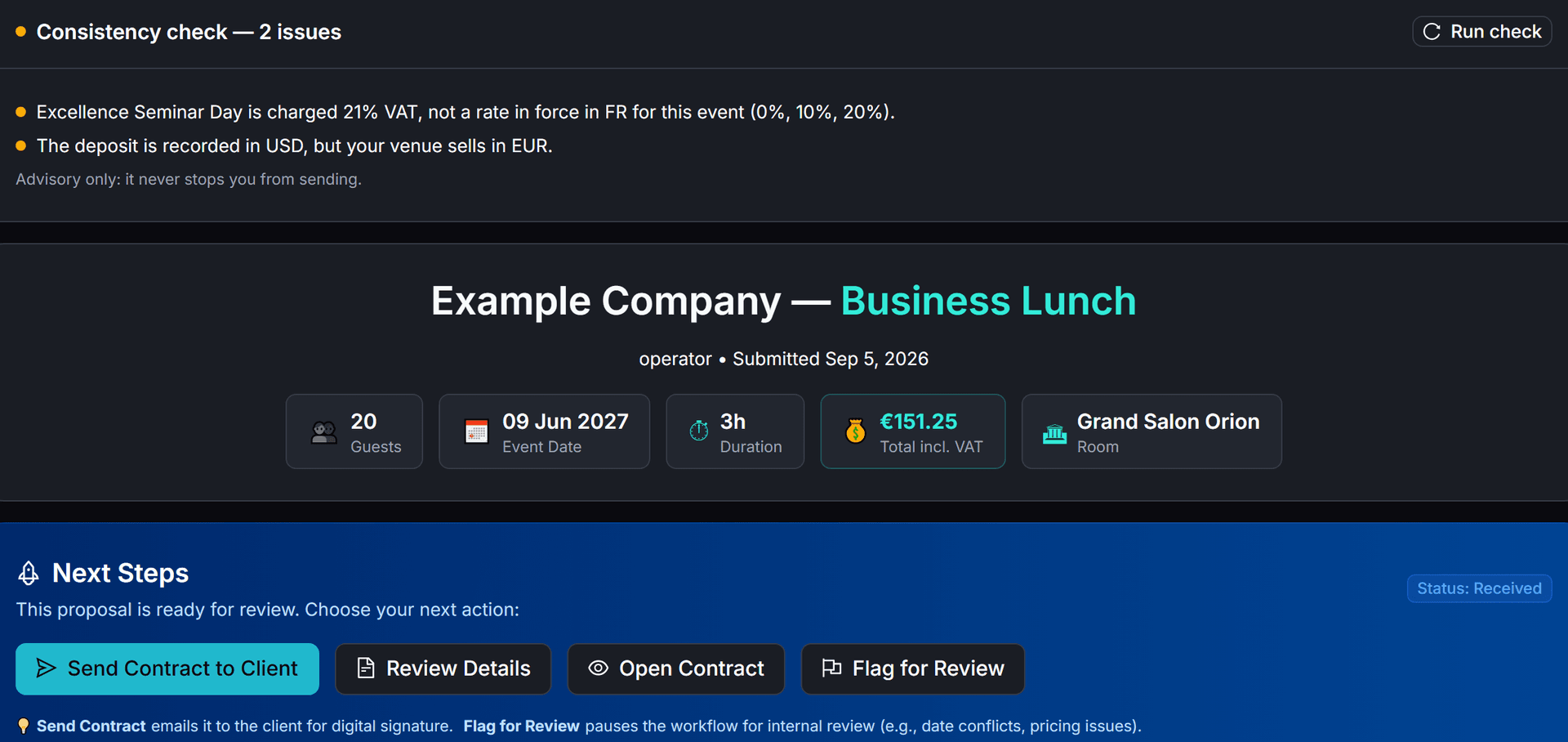
The consistency check compares dates, guests, prices, VAT, the deposit and the Apaleo hold (in certification), and lists in plain words what does not match. It is advisory: it never blocks sending.
How it works
When the check runs, and what it tells you
01
Before a contract goes out
Whether you send the contract from the booking or from Telegram, or it goes out automatically by your rules, the check runs first. Whatever it finds, the send goes ahead.
02
On demand
The booking page shows the result, with a Run check button, and the Send contract dialog shows it too.
03
In plain words
Each finding is one sentence naming the line, room, date or amount, never a client's name, e-mail address, phone number or address.
04
On the timeline and on Telegram
A send with issues leaves one note on the booking's timeline, and /booking on Telegram adds a line with the number of issues.
At a glance
What is compared
01
The booking
Dates, guests, lines, totals and deposit
02
Compared with
The contract to be sent, the BEO and the Apaleo hold (in certification)
03
Consistency check
Each issue in one plain sentence
04
You decide
Fix the booking, or send it as it is
Good to know
What it checks
Guests
Per-person lines are priced for the booking's guest count, and the BEO has the same guest count.
Dates and times
The event date is the day the event starts, the end comes after the start, and the BEO shows the same times.
Unit price and quantity
Each line's unit price is saved in the right unit, and its VAT parts add up to the line total.
Totals
The lines add up to the booking total, and the contract about to be sent shows that total, in the booking's currency.
VAT
Each VAT rate is one in force in your venue's country on the event day.
Deposit
The deposit matches your deposit rule's percentage of the total, and is never more than the total.
Currency
The deposit and the booking are in your venue's selling currency.
Apaleo hold (in certification)
For a venue connected to Apaleo (in certification), the hold's dates and times with setup and teardown, its units and the bedroom dates match the booking.
Questions
Questions and answers
Does the consistency check stop me from sending?
No. It is advisory: it never blocks a send and never changes a refusal. You read the findings and decide.
When does it run?
Before a contract goes out, whether you send it from the booking or from Telegram or it is sent automatically by your rules; when you open the booking or click Run check; and in the Send contract dialog. On Telegram, /booking adds a line with the number of issues when there are any.
What does it compare?
Guests, dates and times, unit prices and line totals, the booking total and the contract about to be sent, VAT rates for your venue's country, the deposit, the currency and, for a venue connected to Apaleo (in certification), the Apaleo holds.
Do the findings show client details?
No. Each finding names a line, a room, a date or an amount, never a client's name, e-mail address, phone number or address.
What happens when it finds issues at send time?
The contract is still sent. One note goes on the booking's timeline, “Consistency check before sending”, with the number of issues and the first one, and a send from Telegram replies with the number of issues.
Features